Original
Restored
Civil War Era Tintype
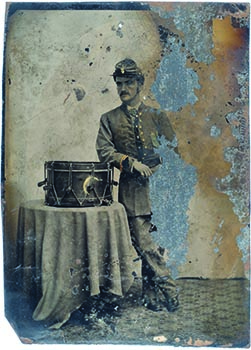
Prompt: create missing portions of man and the background (Kaze.ai )
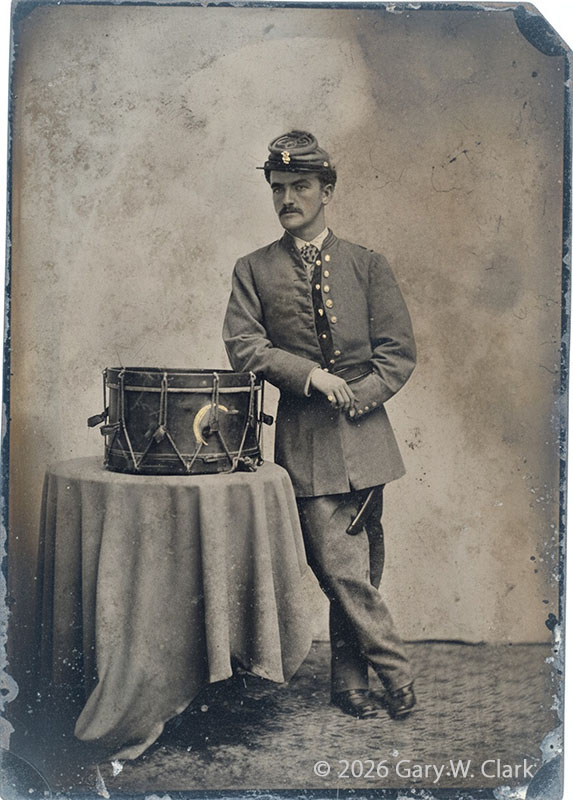
Civil War era Tintype (Click image for larger)
A similiar restore was made in 2011 with manual Photoshop edits in 4-5 hours.
This AI restore was accomplished in less than 30 seconds.
c. 1918 Photograph
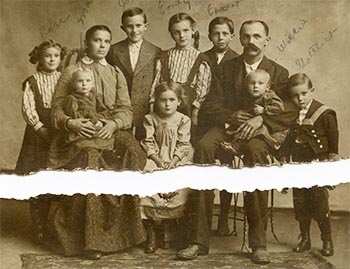
Prompt: Restore photo, rejoin two broken pieces. (Gemini 3.0)
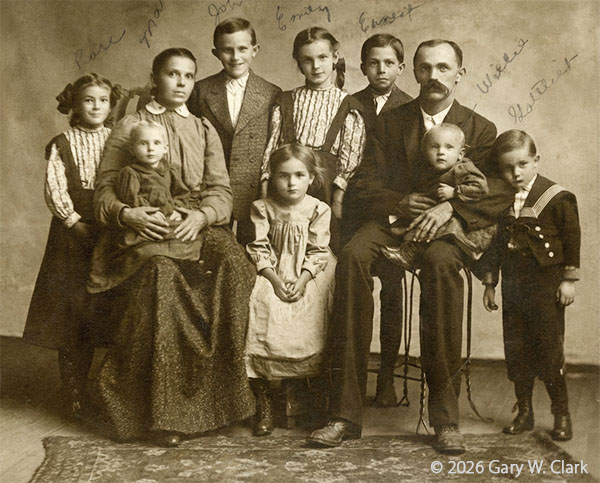
c. 1920 4 x 5½" Print
WWI Era Photograph
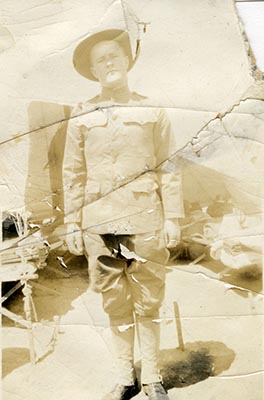
Prompt: remove all scratches, blemishes and dark areas, darken overall image slightly and increase contrast. (Gemini 3.0 & ChatGPT)
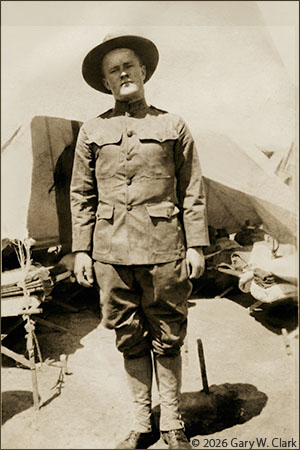
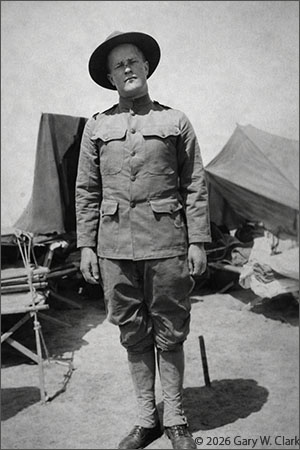
Gemini 3.0 ----------------------------------- ChatGPT
This was in poor condition, background items were not distinguishable.
Now we can see it is a tent and bed, and the soldier is recognizable.
c. 1900 Photograph of a railroad work gang.
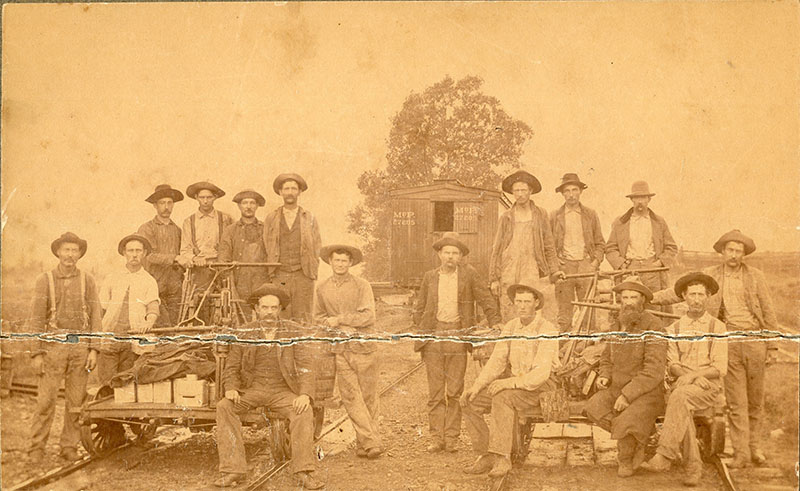
Prompt: Repair large crack across the photo, reduce sepia tint, increase contrast, sharpen image. (ChatGPT 5) (Click for larger image)
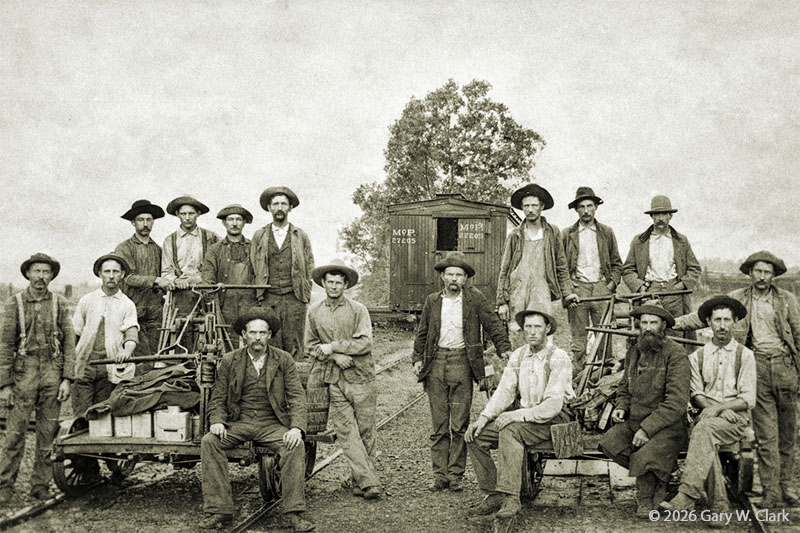
Amazing transformation. (Click for larger)
c. 1860 Tintype – Clark GG-Grandmother
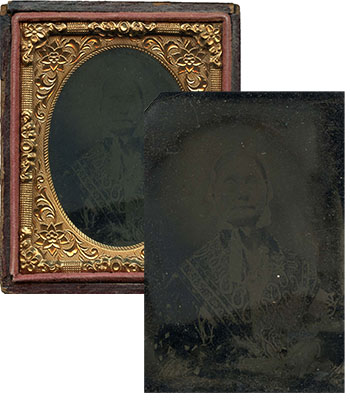
Prompt: Restore tintype photo, lighten and increase contrast, remove noise, keep original face.
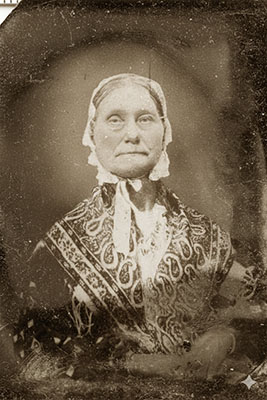
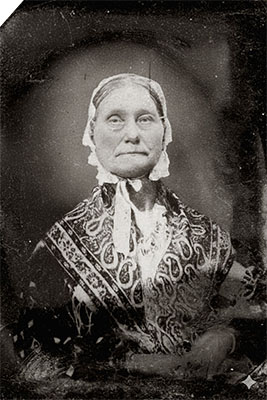
Gemini 3.0 --------------- -------------ChatGpT 5.0
This plate was in a wooden case, typical of the era.
It was nearly unrecognized due to the darkening of the tintype.
1943 Photograph – Author's sister, Shirley.
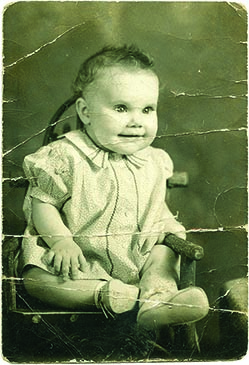
Prompt: remove scratches (Kaze & Gemini )
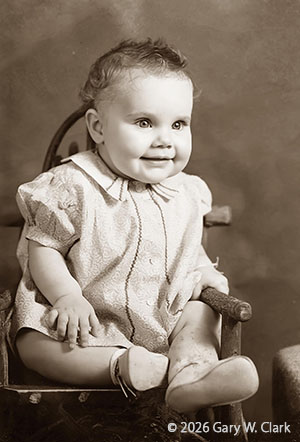

Kaze ------------- ----------Gemini 3.0
This was only a 2" x 2½" photo, but scanned at high resolutoin (600 DPI)
c. 2000 Photogtraph
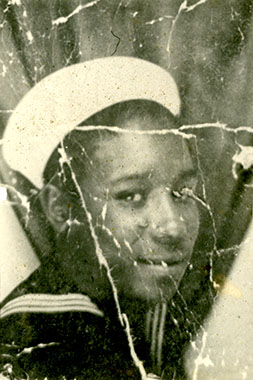
Prompt: Remove scratches, sharpen image, keep original face. (ChatGPT 5.0 & Gemini 3.0)
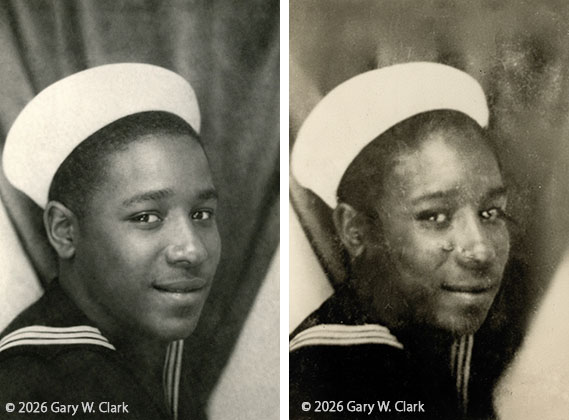
ChapGTP 5.0 -------------------------------------Gemini 3.0
1960 Photograph – Xmas at Johnsons, grandfather with money tree surrounded by his grandkids.
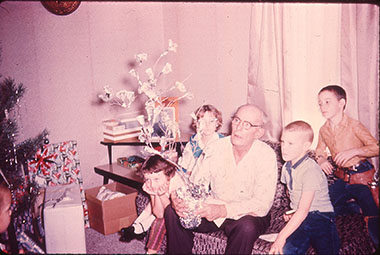
Prompt: Restore colors to natural state, reduce red tint. (ChatGPT 5.0)
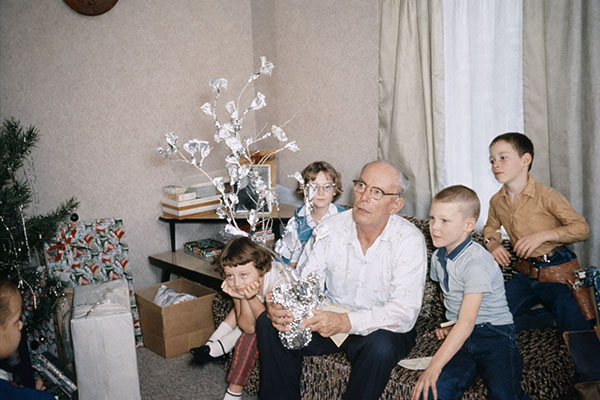
Perfect restoration. Many 1960s & 70 prints and slides deteriorated to red or green tints.